How BIRD works
This is complicated and it's okay if this takes a few read-throughs before you understand how this works. To make this more accessible, let's use a diagram to show the flow of information through BIRD and between routers.
First, let's introduce a new diagram!
This diagram is a conceptual picture of router-r1 communicating with routers r2 and r3. This focuses first on router-r1 and the BIRD software that runs on it. It shows further details of the constituent pieces of BIRD's inner workings and how those inner-workings interface with the machine itself and with the other routers.
[![BIRD diagram explainer][BIRD diagram explainer]][BIRD diagram explainer]
On the far left, we have stuff that exists "outside" of BIRD:
- eth0, eth1: The network interfaces of the machine which connect it to the networks that it sends packets on
- route table: the kernel's routing table which provides instructions for where to send packets to networks that it is not directly connected to.
Moving to the right, we next encounter a giant box labelled BIRD. This is the BIRD software and all of its constituent pieces (i.e. "protocols"). As we move into BIRD, the first big yellow box represents the BIRD protocols we're going to be working with in this chapter. Let's briefly look at each of these:
device: empowers BIRD to learn what network interfaces (or "devices") exist on this machine and their up/down status.kernel: controls how routing information gets into and out of the route table for this machine.RIP: used in communicating with other routers using RIP on our little internet in the way we described in the last section.
📝 NOTE: What does this "protocol" word mean in this context? It feels pretty "jargonny!" BIRD uses the word "protocol" to indicate sources and destinations for routing information. We'll look at this in more depth as we continue through this explanation, but at a high level, it specifies where BIRD is able to learn about routes and where it's able to communicate that routing information.
Finally, we have the box labelled BIRD core which manages organizing information between protocols to create a coherent routing table for the router.
But what does this process look like on a larger internet? How exactly does route information get collected and distributed by BIRD amongst routers using RIP?
To answer that question, we're going to give you a Giant Step-by-Step Diagram™! It's going to start with how the router collects information about its own network connections. Next, it will go through the process of how it uses the RIP protocol to communicate that information to other routers. This will enable each router to build a full routing table for the entire internet.
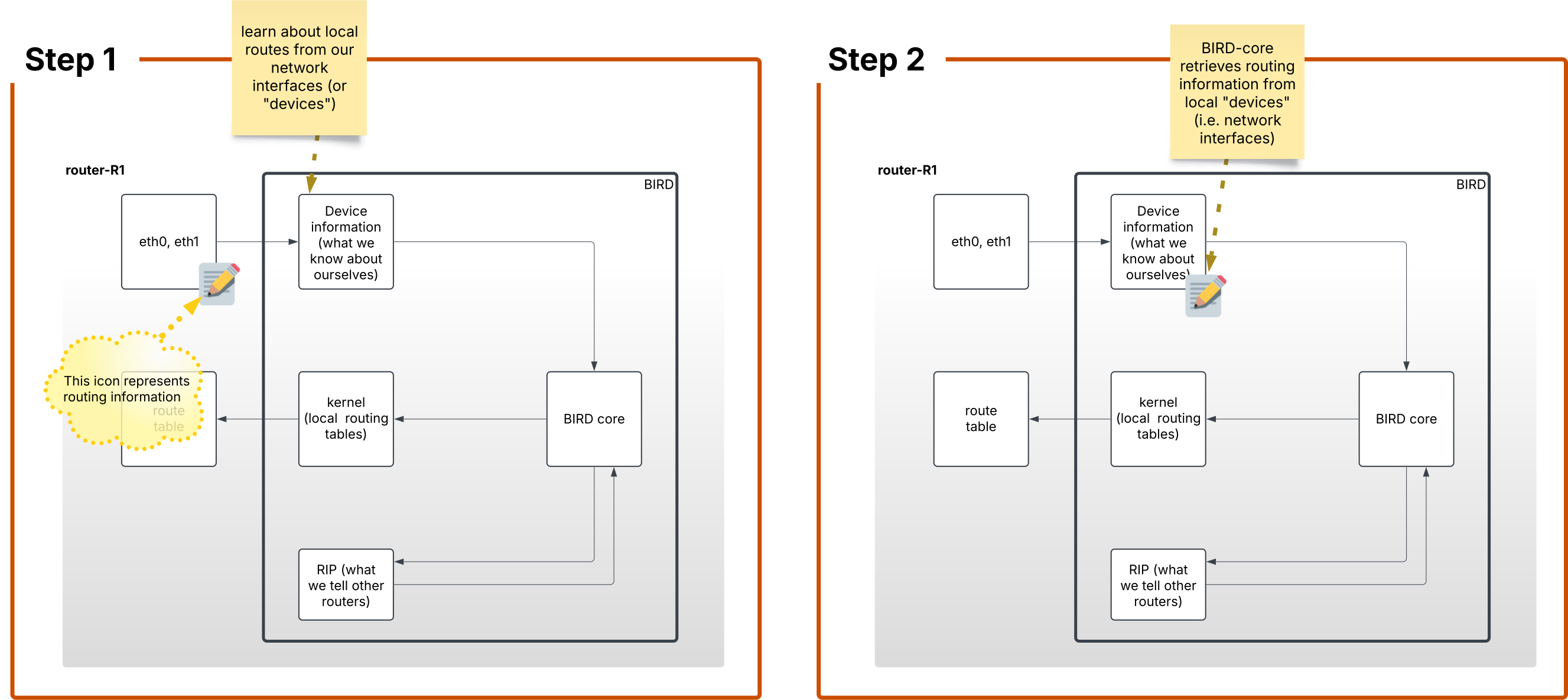
Step 1. The device protocol in BIRD will learn about the local routes (i.e. the networks that the router has interfaces on).
Step 2. The BIRD software receives the routes it learned about from the router's local devices. BIRD core maintains its own routing data.
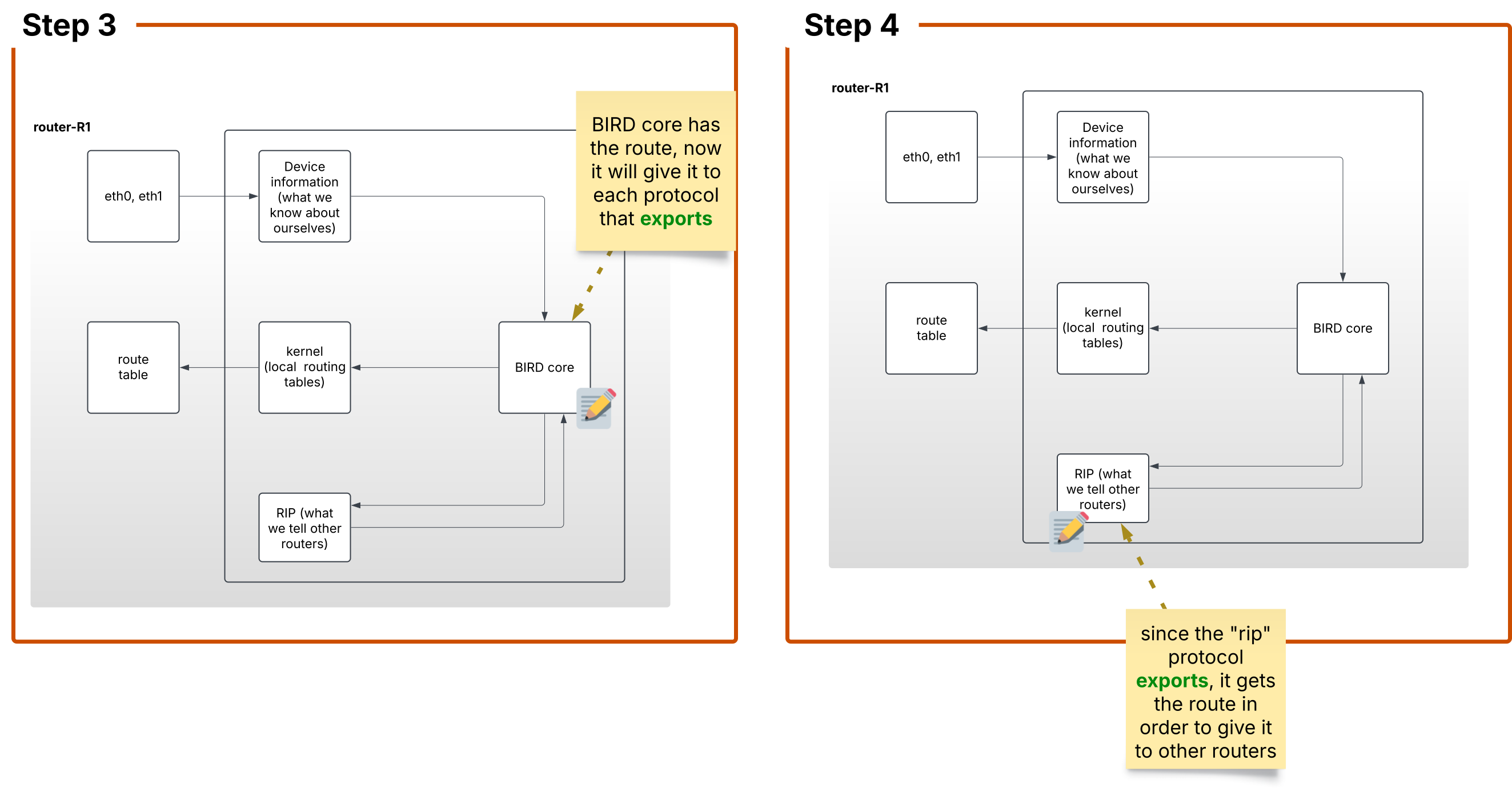
Step 3 BIRD finds which protocols export their data. export is a setting on a protocol that tells BIRD-core that it is allowed to send routes to that protocol.
To pass data around, BIRD has two keywords that each protocol can use to dictate how routing information flows through the system. import dictates whether or not to pull information from the protocol into the BIRD system. Once BIRD has imported routing information to its own routing table, export indicates which protocols should receive that information.
Step 4 Since the RIP protocol does have the export flag, it receives the routes from BIRD core.
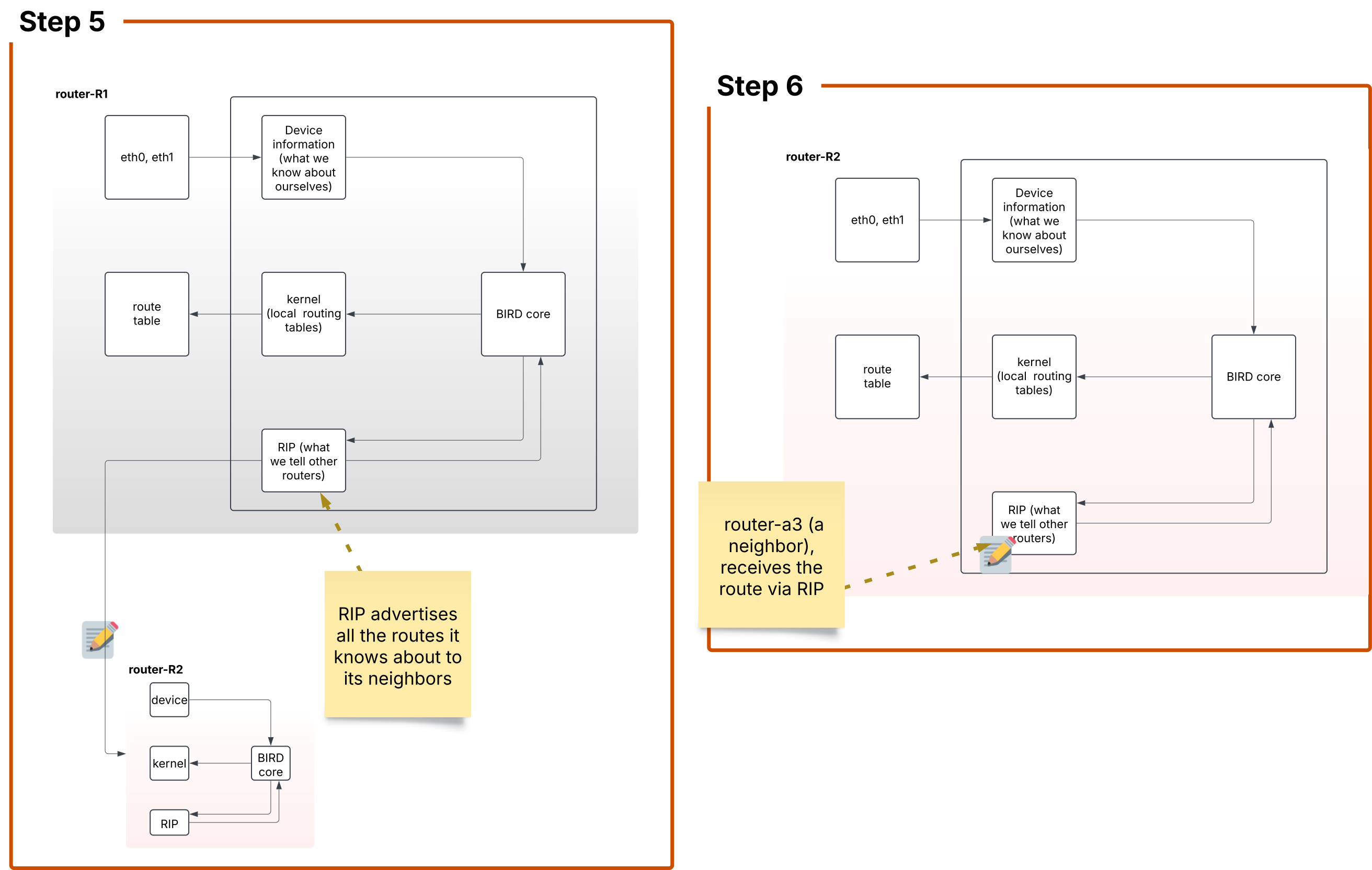
Step 5 Now it's time to transmit packets about routing information to other routers! RIP will send broadcast messages on every network it's connected to about every route that BIRD core passed to it.
Step 6 Now we're looking at a neighbor router: router-r2! This router receives the routes from router-r1.
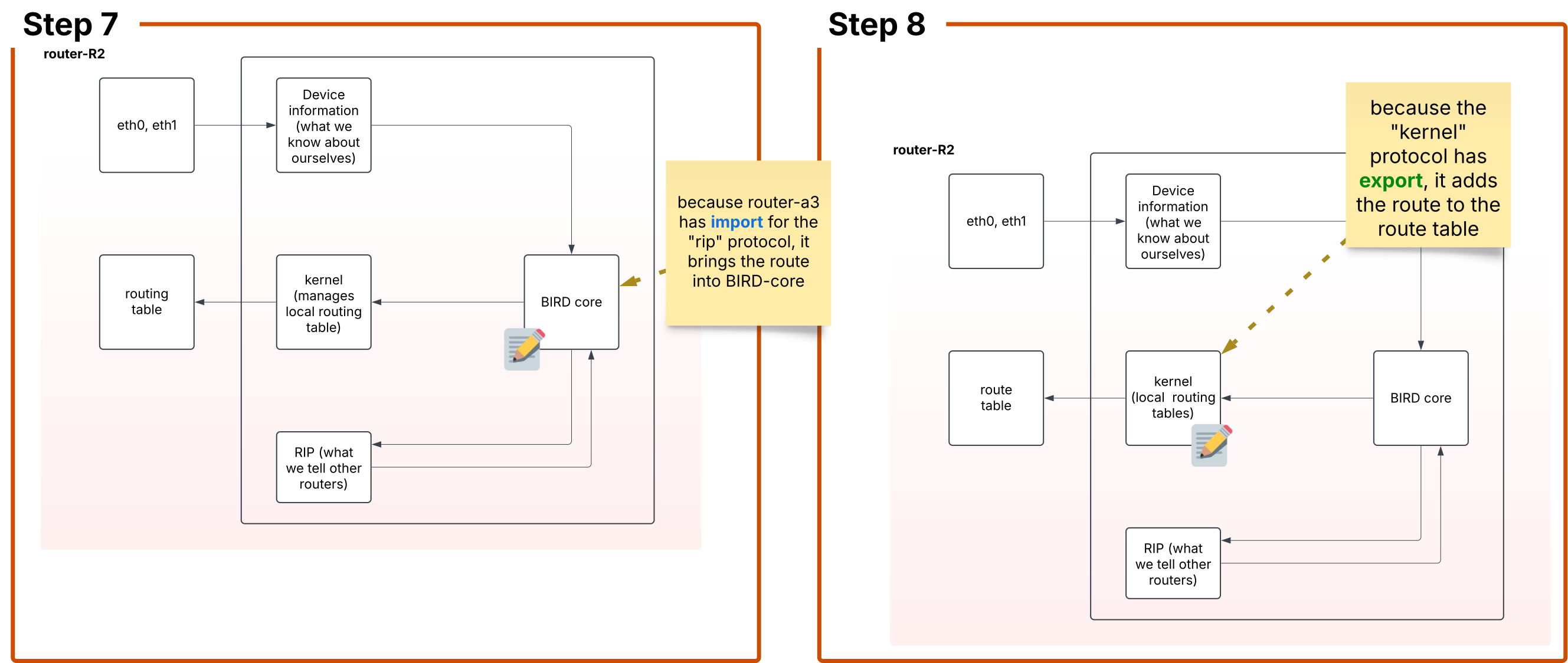
Step 7 BIRD-core on router-r2 now imports the routes from the RIP protocol in order to add them to BIRD core's routing table.
Step 8 So now, BIRD-core communicates its routes to the kernel protocol which will write a copy of those routes to router-r2's routing table. router-r2 is now able to forward packets destined for networks connected to router-r1 towards router-r1.
Step 9 (not pictured) router-r2 communicates out all of its routes (including locally-connected routes as well as those it heard about from router-r1 to all of its locally-connected networks.
Okay, that's it for theory. Now that we know how BIRD works, let's get some practical experience setting it up and getting it running!
Handy commands!
Here are some things that we have found helpful in debugging bird !
birdc show route export rip1
birdc configure
birdc show route all